Zodiac Casino on Mobile: Browser Play and App Status
 Available in GB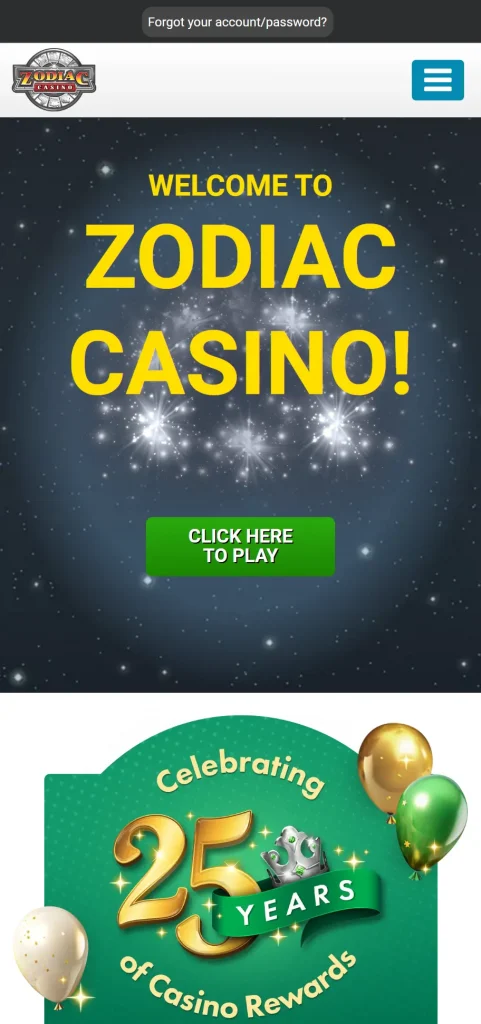
Zodiac Casino can be used through a mobile browser on its UK site. The official homepage actively promotes a mobile experience and invites players to play on phones and tablets without making a separate native app necessary. The UK casino site does not currently identify a UK-specific native iOS or Android app or link to a UK-specific App Store or Google Play listing.
That distinction matters because searches for “Zodiac Casino app” can surface unrelated apps that use the same words in their titles. A store result is not enough on its own to prove that the casino operates it. For UK players, the clearly identifiable route today is browser play through the official Zodiac site. A native app is worth trusting only when the casino itself links to the store listing and the publisher identity matches the operator.
Table of Contents
- What is actually verified about Zodiac Casino mobile play?
- Why a browser route is safer than an unconfirmed app listing
- How to verify a real casino app before installing it
- Using the same Zodiac account on desktop and mobile
- Deposits and withdrawals from a phone
- What to expect from games in a mobile browser
- Mobile verification can still involve documents and financial evidence
- Browser shortcuts are not the same as native apps
- A mobile checklist before you sign in
- The safest way to use Zodiac Casino on a UK phone today
What is actually verified about Zodiac Casino mobile play?
The official Zodiac Casino UK homepage contains explicit mobile messaging and presents the casino as playable on mobile devices. That gives a direct basis for saying the service supports mobile-browser access. You do not need a separate installer to reach the casino account, browse games or use the normal site navigation from a compatible phone browser.
This is a more useful fact than a generic statement that the site is “mobile friendly”. It tells you what route is supported: open the official UK domain in Safari, Chrome or another mainstream browser, sign in to the same account and use the web interface. The mobile session is still part of the same Zodiac account environment rather than a separate profile.
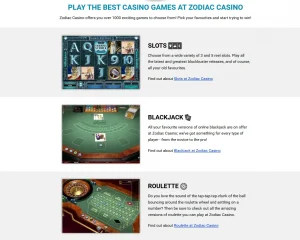
The main game library guide covers the library itself. On mobile, the practical limitation is that individual titles can behave differently depending on screen size, browser support and the game provider. The presence of more than 1,000 games on the UK site does not mean every single title will be equally comfortable on every handset.
Why a browser route is safer than an unconfirmed app listing
App-store search results are weak evidence when a casino name can also appear in unrelated products or in listings aimed at other markets. A matching title alone does not prove that an app belongs to the UK gambling operator, so any store result should be checked against the publisher identity and a direct link from the UK casino site.
The same verification standard applies to iPhone claims. A native app should be treated as official only when there is a current App Store listing whose publisher identity and destination can be tied back to the casino operator or when the official Zodiac site directly links to it. For the UK product, no operator-linked native-app listing is identified on the official UK site.
Zodiac could publish an app later, and store listings can change. At present, mobile-browser play is the clearly supported UK option, while the official UK site does not identify a UK-specific native iOS or Android app.
How to verify a real casino app before installing it
The safest check starts with the operator rather than the app-store search box. Visit the official Zodiac Casino UK domain and look for a direct App Store or Google Play link. If an official store link exists, compare the publisher or developer identity, privacy-policy domain and support details against the operator information shown on the casino site.
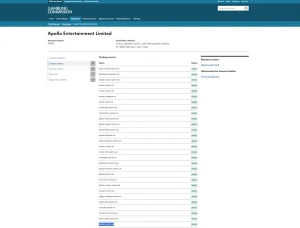
Be cautious when an app uses the correct casino name but describes an unrelated product, has a developer with no connection to Apollo Entertainment Limited, points to a different domain, or relies on generic promotional copy instead of recognisable casino information. Those are strong signals that the listing is not the official gambling product.
Do not install APK files or other packages from third-party download sites in order to obtain a supposed Zodiac app. Sideloading bypasses the normal store-review path and creates an avoidable risk around credentials, payment information and device permissions. For this brand, browser access already provides a verified route without that extra uncertainty.
Using the same Zodiac account on desktop and mobile
Mobile-browser play does not create a second account. Use the same account credentials you would use on desktop and follow the same registration and verification rules. The registration explains the operator-specific participation rules and why accurate identity details matter from the start.
That continuity is useful because your balances, account history and verification status belong to the account rather than the device. If you start on a laptop and later sign in from a phone, you are still interacting with the same customer record. A change of device does not reset KYC requirements, payment ownership checks or responsible-gambling controls.
On a shared phone or tablet, avoid saving credentials in a browser profile that other people can access. Sign out after use and keep the email account used for recovery secure. A mobile browser is convenient, but the account can contain financial and identity information, so it deserves the same care as online banking or an e-wallet.
Deposits and withdrawals from a phone
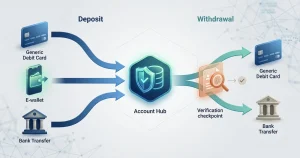
Using Zodiac from a phone does not change the underlying payment rules. If a supported payment option is available in the cashier, the account still has to meet the same ownership and verification requirements whether the transaction is started on mobile or desktop. The payment methods covers the current UK card and e-wallet picture in detail.
Before depositing from a phone, check that you are on the official domain and that the browser has not been redirected to an imitation page. Mobile screens hide more of the address bar than desktop screens, so it is worth checking the domain deliberately before entering card, wallet or account credentials.
Withdrawals are also account processes rather than device-specific features. If verification is pending, changing from desktop to mobile will not bypass it. Likewise, payout routing still follows the casino’s payment and ownership rules. Device convenience should never be confused with a separate or faster withdrawal channel.
What to expect from games in a mobile browser
The official site promotes mobile play, and modern casino games are commonly delivered in browser-compatible formats that can scale to smaller screens. In practice, game usability varies. Slots with relatively simple controls tend to translate well to a phone, while dense table layouts, side bets or multi-panel interfaces may feel easier on a larger display.
A sensible mobile test is to open the title you actually want to play before committing to a long session. Check whether the controls fit the screen, whether portrait or landscape orientation works better and whether important information remains readable without repeated zooming. That gives you more useful information than a blanket statement that every game is “optimised” for every handset.
Network quality also matters. Browser casino games stream assets and maintain a live account session, so an unstable mobile connection can cause interruptions. Avoid moving between weak public Wi-Fi and mobile data during financial actions, and make sure you know whether a game has actually completed a round before refreshing or closing the browser.
Mobile verification can still involve documents and financial evidence
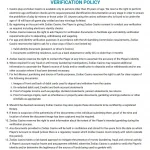
Zodiac’s verification policy applies to the player account, not to a particular device. The operator can use electronic identity checks and may ask for identity, address, payment-ownership or source-of-funds evidence where required. If a request arrives while you are using a phone, the standard does not become lighter simply because the screen is smaller.
For document uploads, image quality matters. Use a clear photograph or scan and follow the operator’s actual request rather than sending a generic collection of documents. The dedicated verification and KYC guide explains the categories the current policy can request and why there is no reliable universal completion time.
Mobile access can make document capture convenient, but it also makes it easier to rush. Review what you are uploading, make sure the request came through the official account or support route, and avoid sending sensitive material through an unverified third-party app.
Browser shortcuts are not the same as native apps
Most modern phone browsers let you add a website shortcut to the home screen. That can make Zodiac feel more app-like because one tap opens the site from an icon, but the shortcut remains a browser route. It does not turn the website into a separately installed native application and should not be described as proof that an iOS or Android app exists.
This distinction is useful when comparing instructions found online. A guide may call a saved browser shortcut an “app” in casual language, while an app-store listing implies a separate software package distributed through Apple or Google. It is therefore clearer to reserve the term native app for a store product that can be tied directly to the operator.
A mobile checklist before you sign in
- Start from the official Zodiac Casino UK domain rather than a third-party download page.
- Use the mobile browser route unless the official site itself points to a verified app-store listing.
- Do not trust an app solely because its title includes “Zodiac Casino”.
- Check the developer identity, privacy-policy domain and support details before installing any claimed casino app.
- Avoid APK sideloads and unofficial installers.
- Use the same verified account details and payment methods you use on desktop.
- Keep login credentials and recovery email access secure on shared devices.
- Test important games on your actual handset before assuming every title will feel the same on mobile.
- Check the address bar before entering payment or identity information.
The checklist is intentionally conservative because the downside of an unverified app is much larger than the inconvenience of using the official mobile website. Browser play is already supported, so there is no reason to trade a verified route for an uncertain installer.
The safest way to use Zodiac Casino on a UK phone today
Use the official Zodiac Casino UK website in your phone’s browser. That route is directly supported by the brand’s current mobile messaging and keeps account, game, payment and verification activity inside the same web environment used on desktop. A native app should only be treated as real when the operator itself points to an official Apple or Google listing and the publisher identity checks out.
Until that evidence exists, app-store search results and third-party APK pages are not a reliable shortcut. Browser access answers the practical mobile question without inventing a native app claim: you can use Zodiac on a phone, sign in to the same account and reach the casino through the verified UK web domain.